ExcessList

A surplus marketplace built for direct deals
ExcessList connects companies that have extra inventory with companies that need it. Brokers, OEMs, contract manufacturers, distributors, and resellers list parts for free, buyers contact sellers directly, and the 2 companies finish the sale between themselves. There are no transaction fees.
When ExcessList came to us in July 2025, the site was getting by on life support. The marketplace worked, but it was hard for a new visitor to understand and hard for members to use. We approached it in 2 phases. Phase 1 was a full rebrand and rebuild, with new messaging and design for marketing the site and new tools for members. Phase 2 is under way, and its first milestone focused on security and search visibility.
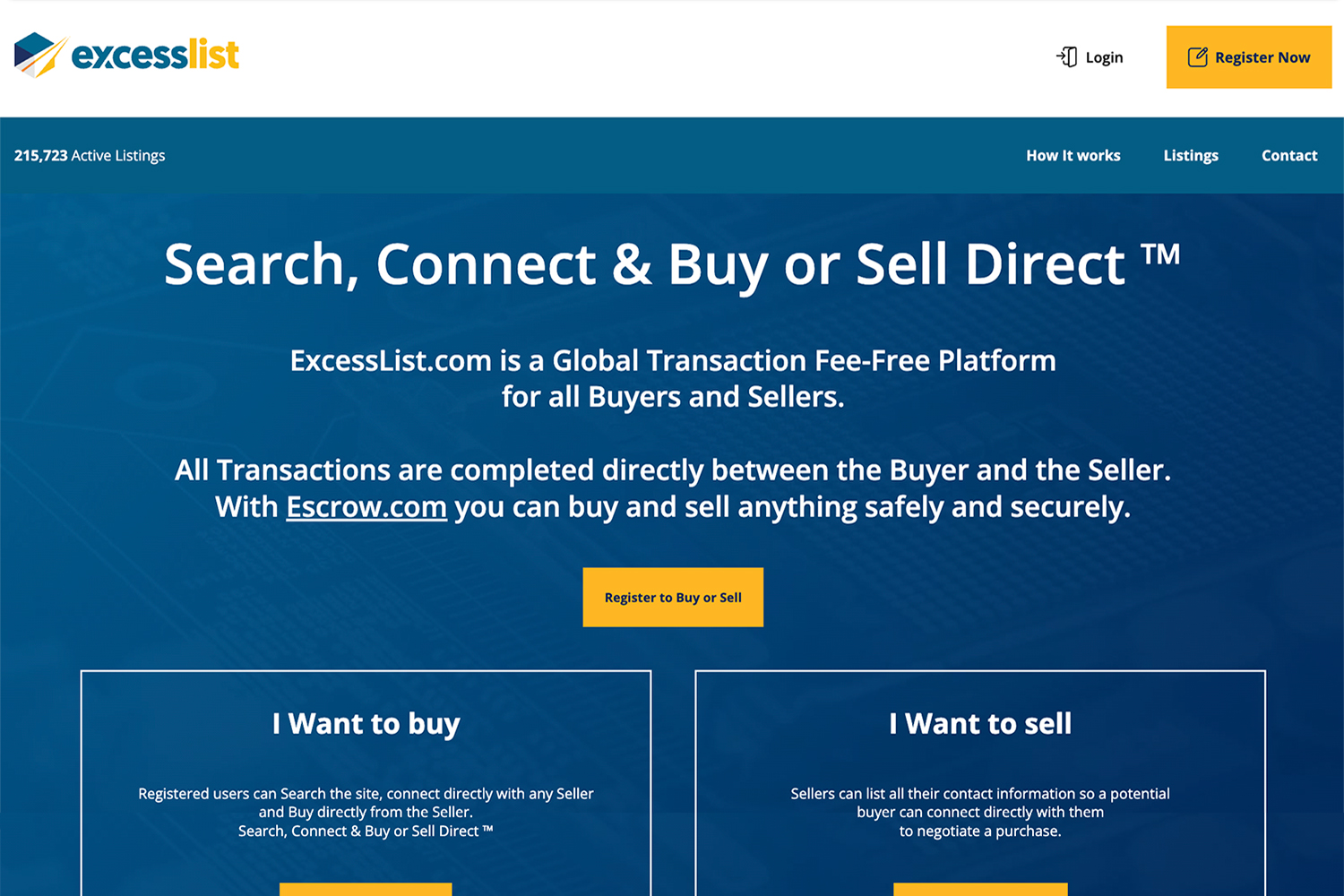
Before our remodel.
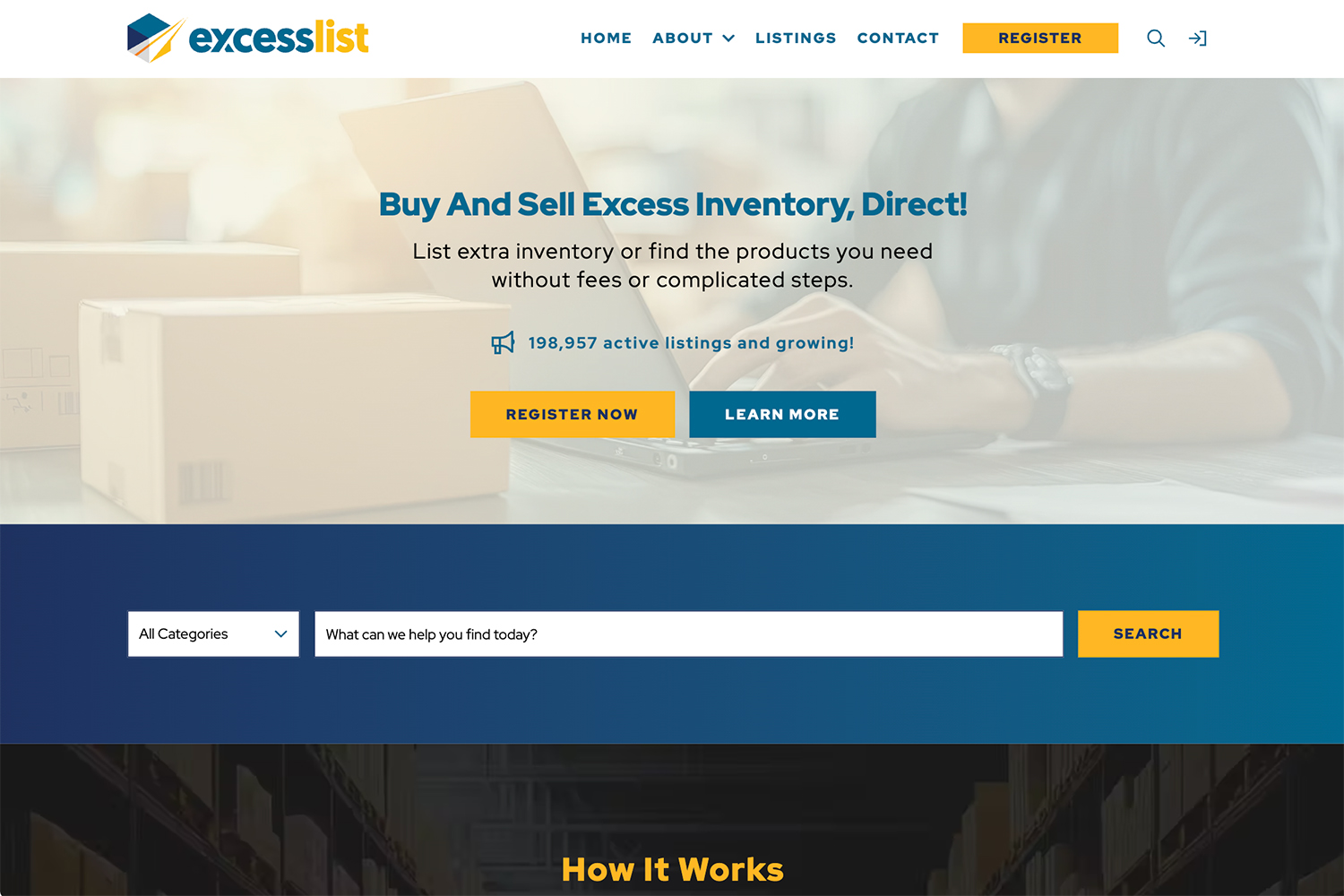
After.
At a Glance
Quick Facts
- Industry: B2B Marketplace / Excess Electronic Components
- Services: Discovery and UX Audit, Rebrand and Messaging, Information Architecture, UI Design and Style Guide, Content Writing, Laravel Development, Vue Front-End Development, Email and SMS Notifications, Bulk Data Import, Security Hardening, Technical SEO, Analytics Setup
- Platform: Laravel, Vue with Inertia, Tailwind CSS, Laravel Nova, Amazon S3, Twilio
- Compliance: Cookie consent through Cookiebot, opt-in consent for SMS, two-factor authentication for administrators
The Challenge
- A site that worked but was hard for new visitors to understand and hard for members to use
- Messaging that did not explain why buyers or sellers should sign up
- Guests sent to a login screen as soon as they opened a listing
- Buyer and seller contact happening by email and phone, off the site
- Search engines receiving an almost empty page instead of the catalog
The Approach
- A full rebrand with new messaging for buyers and for sellers
- Product details public, seller details for members
- On-site messaging at the center of every deal
- Email and text alerts for new messages and saved searches
- Server-side rendering so search engines read every listing, followed by ongoing SEO
The Outcome
- A rebranded marketplace that tells buyers and sellers why to join and how it works
- Buyer and seller conversations on ExcessList, with an email or text alert for every new message
- Saved search alerts by email or text when a matching listing is posted
- Hundreds of thousands of active listings readable by search engines, with SEO now an ongoing priority
- Listings page load time cut from more than 30 seconds to under a second
- Sellers can load 1 product listing, or 90,000 listing at once with the bulk import tool.
- A marketplace that works the way buyers and sellers expect, in place of a site that was barely getting by
The Situation
The previous site was split in 2: a WordPress marketing site at excesslist.com and a separate Laravel application at listings.excesslist.com that held the listings and member accounts. The homepage did little to explain why a buyer or seller should sign up, and the messaging leaned on escrow.com instead of the marketplace itself. Anyone who opened a listing was sent straight to a login page, with no explanation of why they should register.
Inside the marketplace, the listing page put the profile menu, a flag button, and the seller's details ahead of the product. A seller's email address and phone number were the only way to reach them, so every conversation left the site as soon as it started. The flag button did nothing, and editing a listing did not load its saved values.
Sellers needed a better way to load inventory too. ExcessList's largest sellers carry tens of thousands of parts. The bulk import tool accepted 1 category per file, offered no template, and gave sellers little feedback on bad rows.
What We Built
A full rebrand built around buyers and sellers
We started with a full rebrand that reworked the messaging and the look of the site, with equal attention to marketing and to usability. The new messaging leads with what ExcessList offers, free listings and direct deals with no transaction fees, and speaks to buyers and sellers separately. ExcessList wanted a clean design focused on the message and on getting people to register, so the pages are light on imagery.
The homepage opens with a search bar and a live count of active listings, then shows how ExcessList works in 3 steps for each audience: find or list, communicate, and finalize the deal directly. Each path ends with its own register button.
We wrote the copy for the homepage, Features, and How It Works pages, expanded the Terms to spell out the do's and don'ts for members, and built a style guide that the marketing pages and member screens share. We also moved the marketing pages off WordPress and into the Laravel application, so the whole site runs on one codebase. The registration page summarizes what buyers and sellers get before the form, and asks for separate consent for email and text alerts.
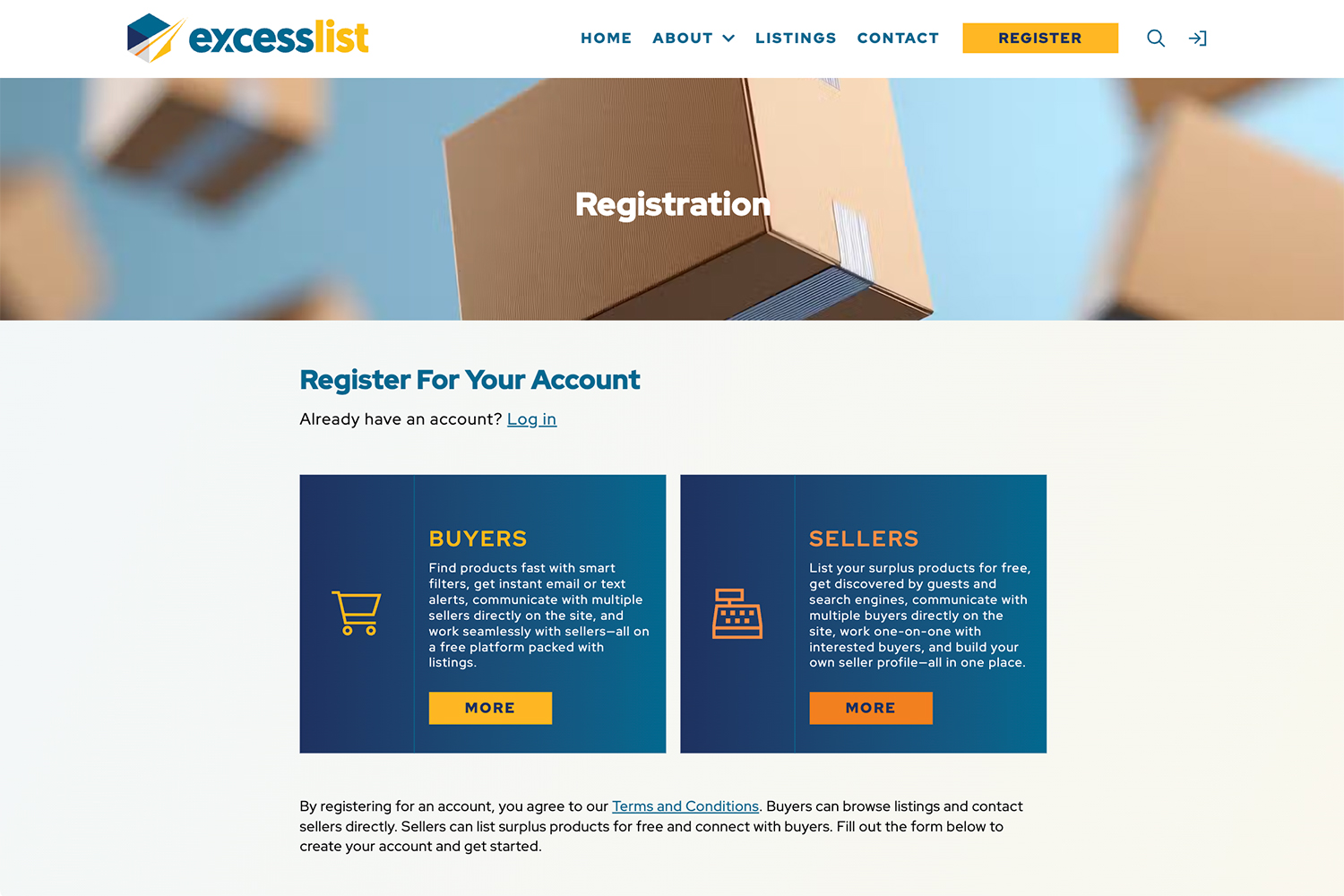
Registration explains what members get before asking for anything.
Product details for everyone, seller details for members
We removed the login wall from listings. Guests and search engines now see the full product record: model, manufacturer, condition, quantity, availability, and posting date. Seller information stays behind sign-in, so a buyer has a reason to register at the moment they find a part they want.
The redesigned listing page puts the product first and moves seller details and contact options to a sidebar. When a seller leaves the description blank, the page tells buyers to contact the seller instead of showing an empty field. Members can flag a listing and pick a reason, such as spam or inaccurate information, and administrators review flags in the admin area.
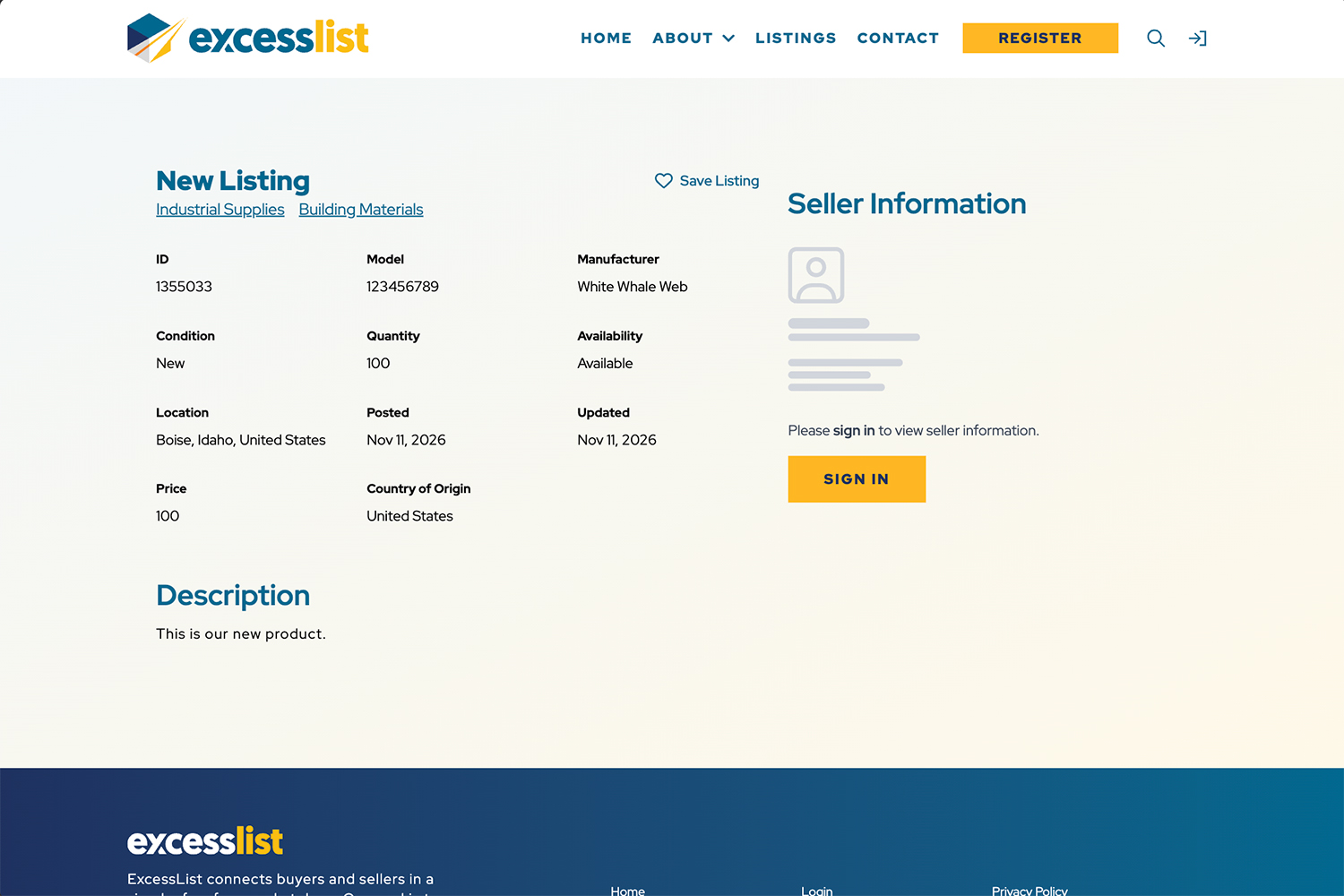
Guests see every product detail. Seller information is for members.
Search, saved searches, and alerts by email or text
Search is the main thing buyers do on ExcessList, so we made it compact enough to show results above the fold on desktop. Buyers filter by manufacturer, location, availability, and category, sort by any column, and choose how many results appear per page. Members can also search by seller. On a phone, the filters open and close so the results come first.
Members can save any search by name and come back to it later. They can also turn on alerts for a saved search and get an email or text message when a new listing matches, so a buyer hunting for an obsolete part does not have to check the site every day.
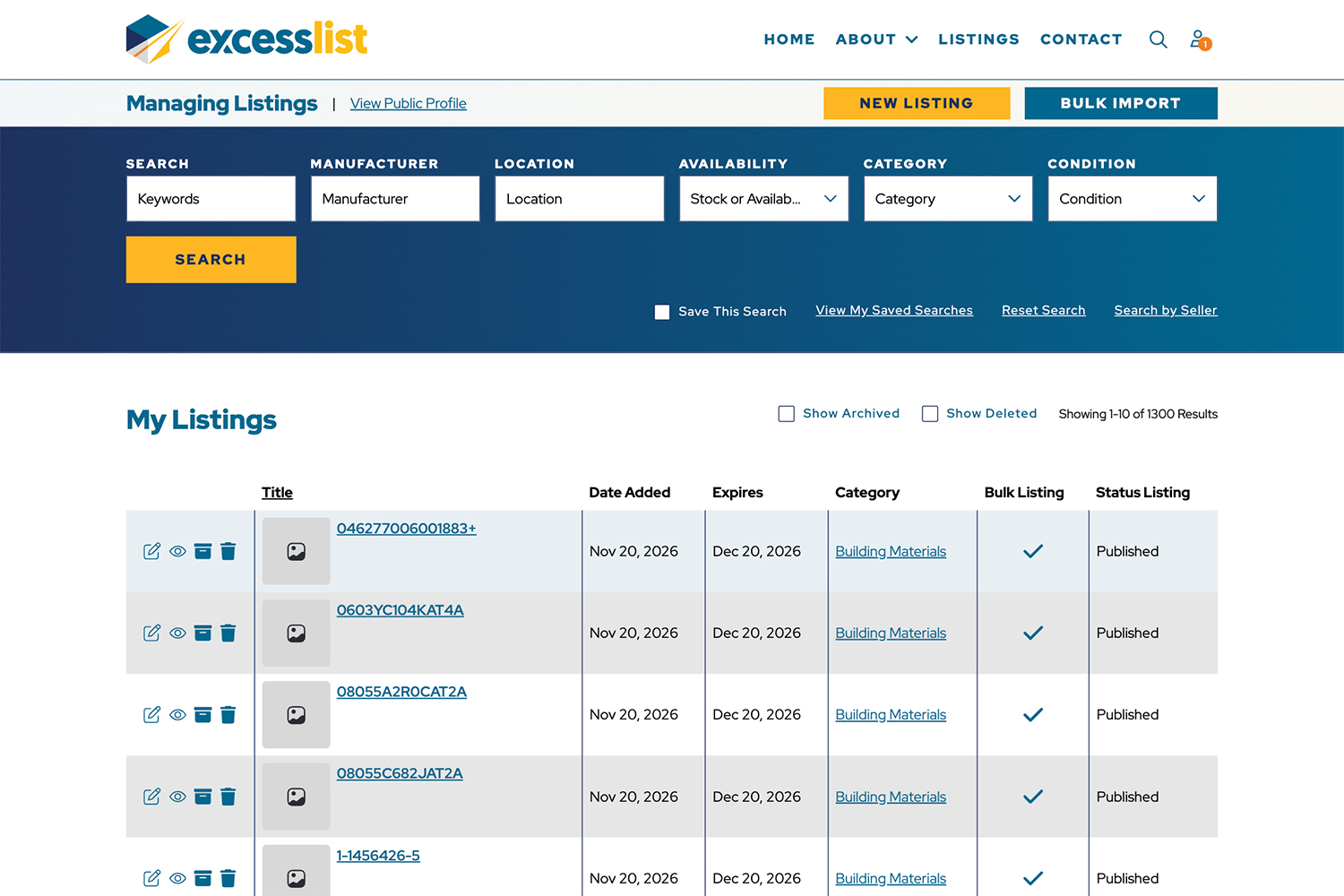
Compact filters, sortable columns, and saved searches across hundereds of thousands of listings.
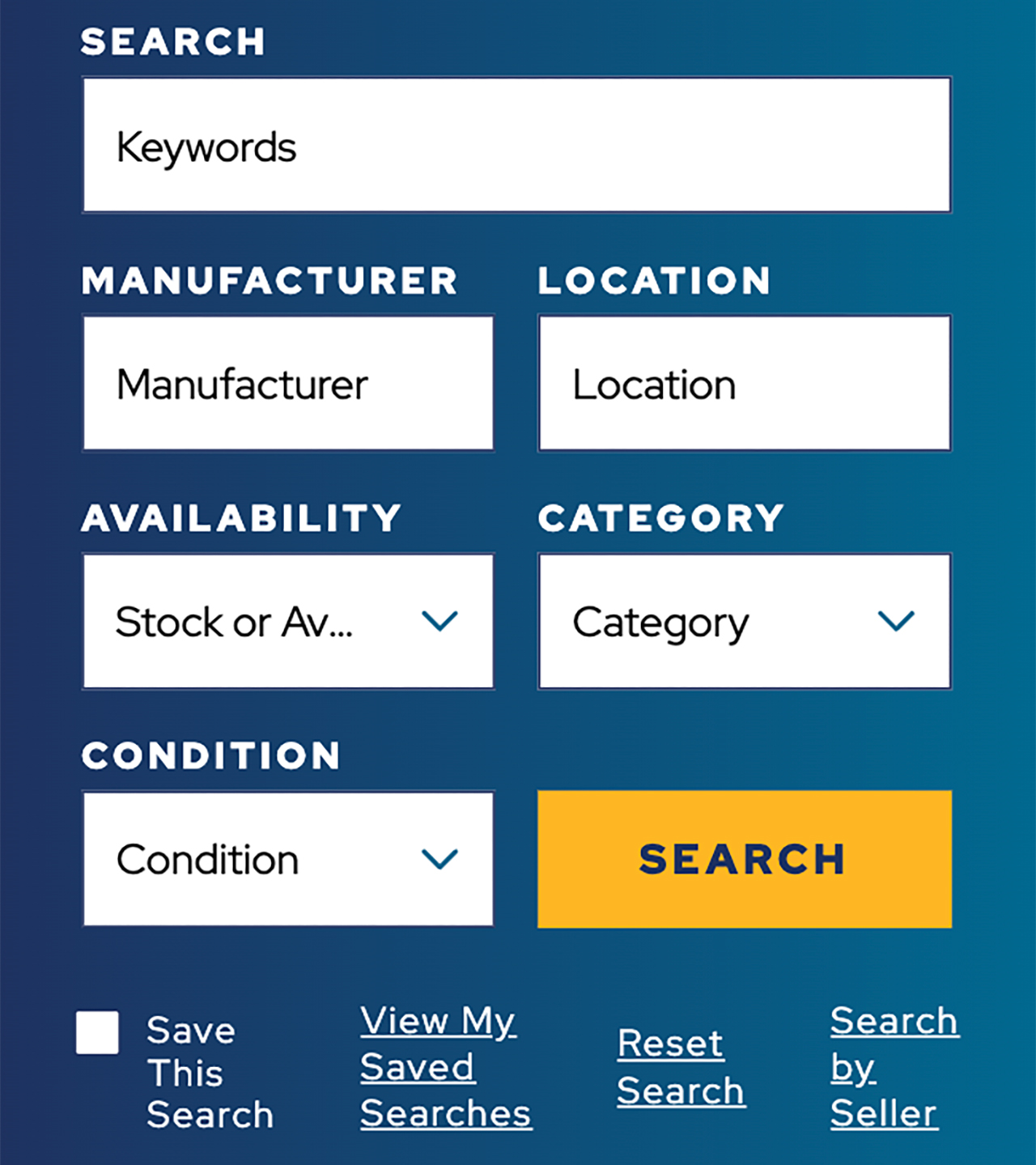
On a phone, filters open and close so results come first.
Communication at the center of every deal
Conversation is how deals happen on ExcessList, so we built messaging into the core of the site. Buyers and sellers talk in threads with timestamps, sender labels, and full history, and buyers no longer have to leave the site to reach a seller. When a message arrives, the recipient gets an email, a text, or both, based on their contact preferences, with a short preview and a link back to the conversation.
Members choose email, text, or both in their profile and can change it at any time. They can block another user, and on a phone, a seller's number is one tap away with click-to-call.
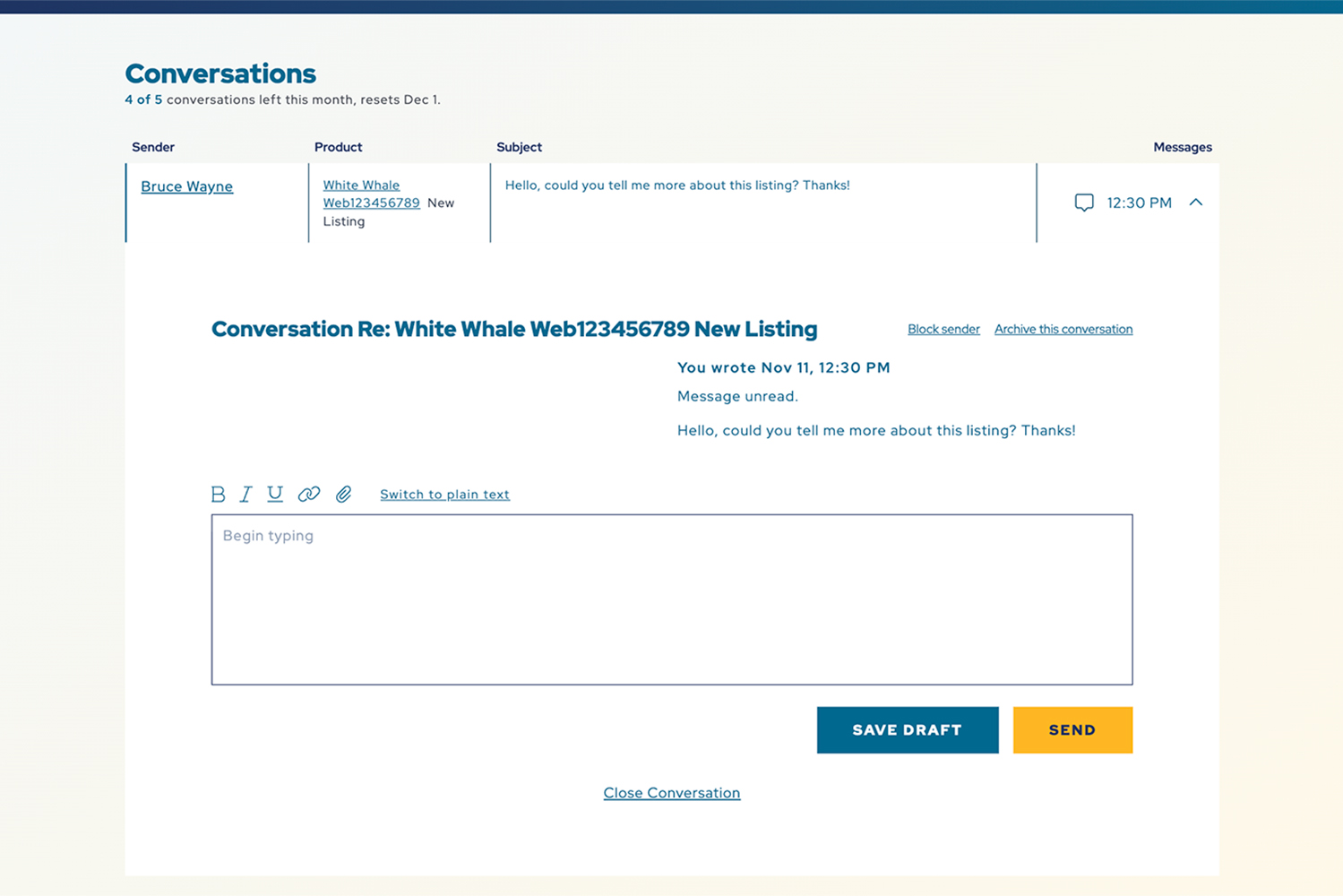
Conversations stay on the site, with email and text alerts when a reply comes in.
Bulk import for sellers with large inventories
We rebuilt bulk import so a seller can upload a CSV file, assign 1 category to the whole file or set categories row by row, and preview the first 10 rows before approving the import. Every row is checked for required fields and allowed values, and any error names the row and the problem. Sample CSV files and instructions sit on the import page.
When an import finishes, the seller gets an email with the number of listings added and a count of duplicates and rows with errors. We used the same tool to load more than 90,000 listings for a single seller.
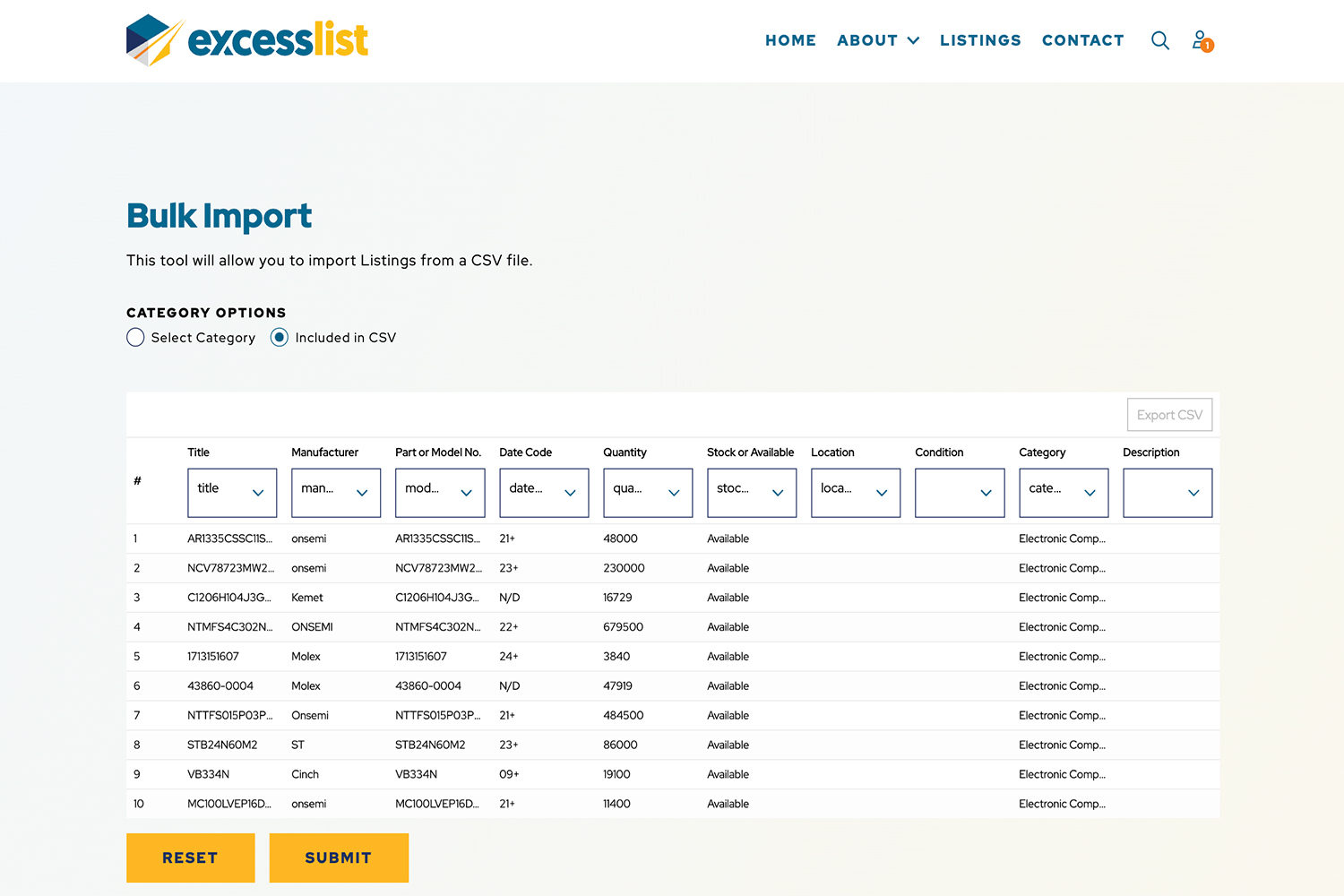
Sellers review the first 10 rows before anything is imported.
Opening hundreds of thousands of listings to search engines
After launch, our review of the application found why ExcessList had almost no search visibility. Pages were assembled in the visitor's browser, so a search engine that did not run JavaScript received an almost empty page. The listings index loaded its data on a second request, which left it blank to crawlers as well.
Milestone 1 of Phase 2 turned on server-side rendering in production and delivered listing data in the first response. Every listing page now arrives as complete HTML with its own title and description built from the listing data. We also removed legacy code that called the retired WordPress site on every page load. The listings page, which took more than 30 seconds to load before this work, now opens in under a second.
SEO is now an ongoing priority. We have verified Google Search Console, submitted a sitemap that Google reads successfully, and opened the catalog to AI search crawlers. Keyword and competitor research is done, and a content plan built around what buyers and sellers search for is in progress.
Security that keeps pace with the catalog
The same milestone added the protections a marketplace of this size needs. Only a listing's owner or an administrator can edit, archive, or delete it, deleted listings can be restored, and an audit log records who changed or removed a listing and when. Rate limiting blocks bots from harvesting seller contact details, the contact form has spam protection, members re-verify their email address when they change it, and administrator accounts require two-factor authentication.
"[Testimonial pending client approval]"
Shane Thompson, Founder + Visionary, ExcessList
Results
Buyers and sellers now find parts and negotiate without leaving the site.
- A full rebrand, with messaging written for buyers and for sellers
- On-site messaging with email and text alerts, live since launch
- Saved search alerts by email and text
- Hundreds of thousands of active listings, each with its own server-rendered page
- Listings page load time reduced from more than 30 seconds to under a second
- A sitemap that Google Search Console reads successfully, with keyword research and a content plan behind ongoing SEO
- More than 90,000 listings loaded for a single seller through bulk import
- Two-factor authentication for administrators and an audit log of every listing edit and deletion
What This Means for Other Marketplaces
If you run a marketplace or directory, your listings are the product, and they only work when people and search engines can reach them.
- Check what Google receives, and then improve the search presence.
- Show the product and gate the contact. Public product details bring in search traffic, and seller details behind sign-in give visitors a reason to register.
- Give large sellers bulk tools. A preview step and row-level errors let a seller load thousands of listings without calling for help.
- Keep conversations on the platform. On-site messaging gives both parties a record of the deal and gives you a measure of marketplace activity.
If your marketplace needs to be found and used, we can help.